 Flash
Flash 
The voice session
A card appears. The child says the answer out loud. The app listens, validates, and the next card appears immediately. There is nothing to touch: the session runs entirely by voice, hands free.
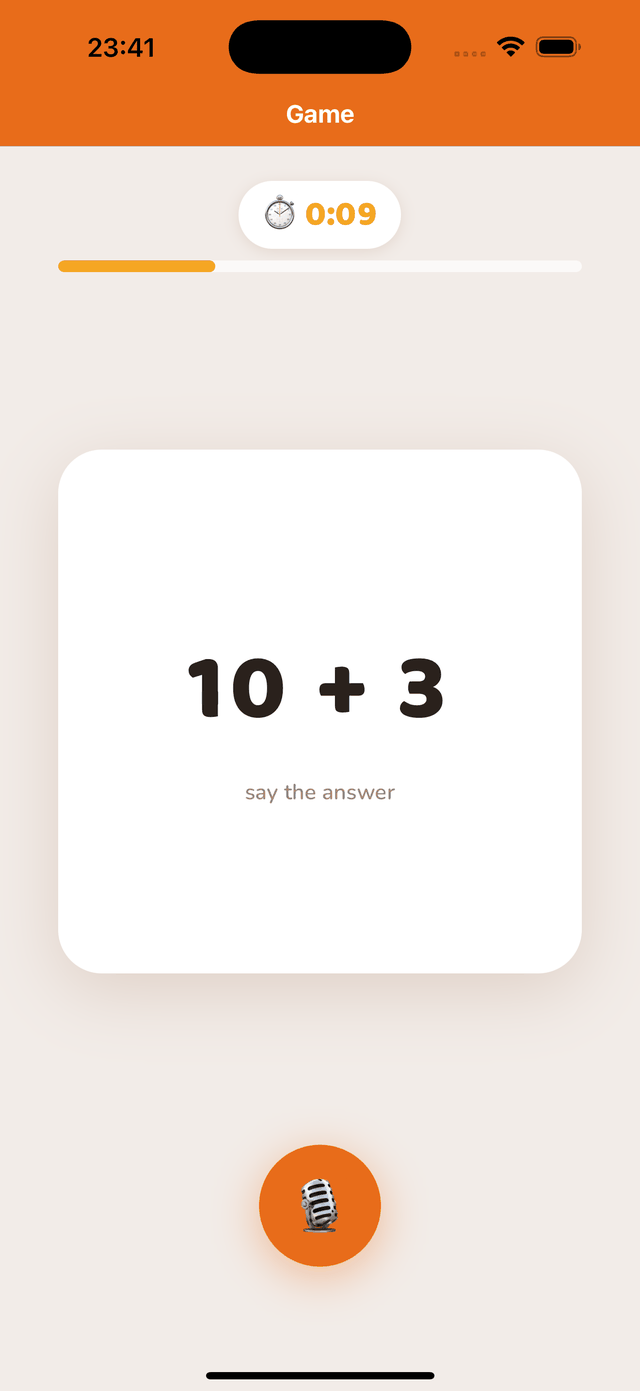
At the top, the timer and the number of answers already validated. At the bottom, the microphone shows that listening is active. A session lasts one minute by default: beyond that, a young child’s attention drops.
What the app heard
Under the card, the app briefly shows the recognised text: the validated answer after a correct one, or in red what it heard when the answer is refused. The display fades by itself after a second — an adult sitting next to the child immediately sees which confusion occurred.
Skipping a card
A tap anywhere on the screen moves to the next card. There is no button to aim for: the whole screen acts as a “skip” key, so an adult can unblock the child without interrupting the session. The skipped item counts as not succeeded and appears among the “skipped” of the result.
Pausing
The pause button, at the top of the screen, suspends the timer and the listening. Tap to resume; you can also leave the session from the pause — the answers already validated are kept.
If the voice is poorly recognised
- Check that the microphone is allowed for the app (Settings › the app › Microphone).
- Bring the device closer, reduce background noise, and have the answer said clearly, without shouting.
- Wait for the card to be displayed before speaking: an answer said too early is not taken into account.
No speech is transmitted. Speech recognition runs entirely on the device, offline, and nothing is recorded.