 Flash
Flash 
Subscription and restoring
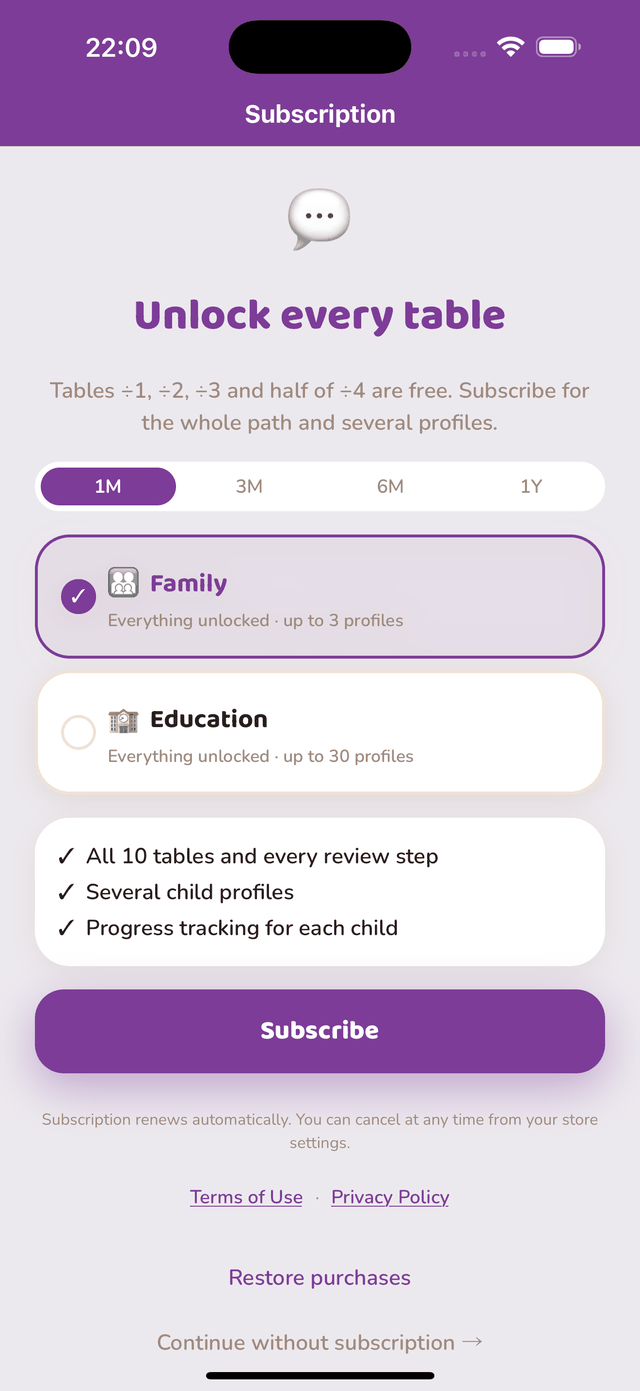
The plans
- Family — up to 3 child profiles.
- Education — up to 30 profiles, for a class or a practice.
Each comes in 1 month, 3 months, 6 months and 1 year. Prices are shown in the app, in your store’s currency (App Store or Google Play). The subscription opens the whole path and the additional profiles; what is already free stays free without a subscription.
Managing or cancelling
The subscription is managed from Settings → your name → Subscriptions on your iPhone or iPad. Cancellation takes effect at the end of the current period; no pro-rata refund is made by the publisher, billing being handled by Apple.
The subscription is managed from the Play Store → menu → Payments & subscriptions → Subscriptions. Cancellation takes effect at the end of the current period; billing is handled by Google.
Restoring purchases
If you already subscribed and switch device, or reinstall the app, “Restore purchases” on the subscription screen reinstates your rights — with the same Apple or Google account as the purchase. Profiles are not restored: they only exist on the original device.
On iOS, the terms of use are Apple’s standard licence agreement; on Android, those of Google Play.